Now on iPhone
Your chess coach for every game
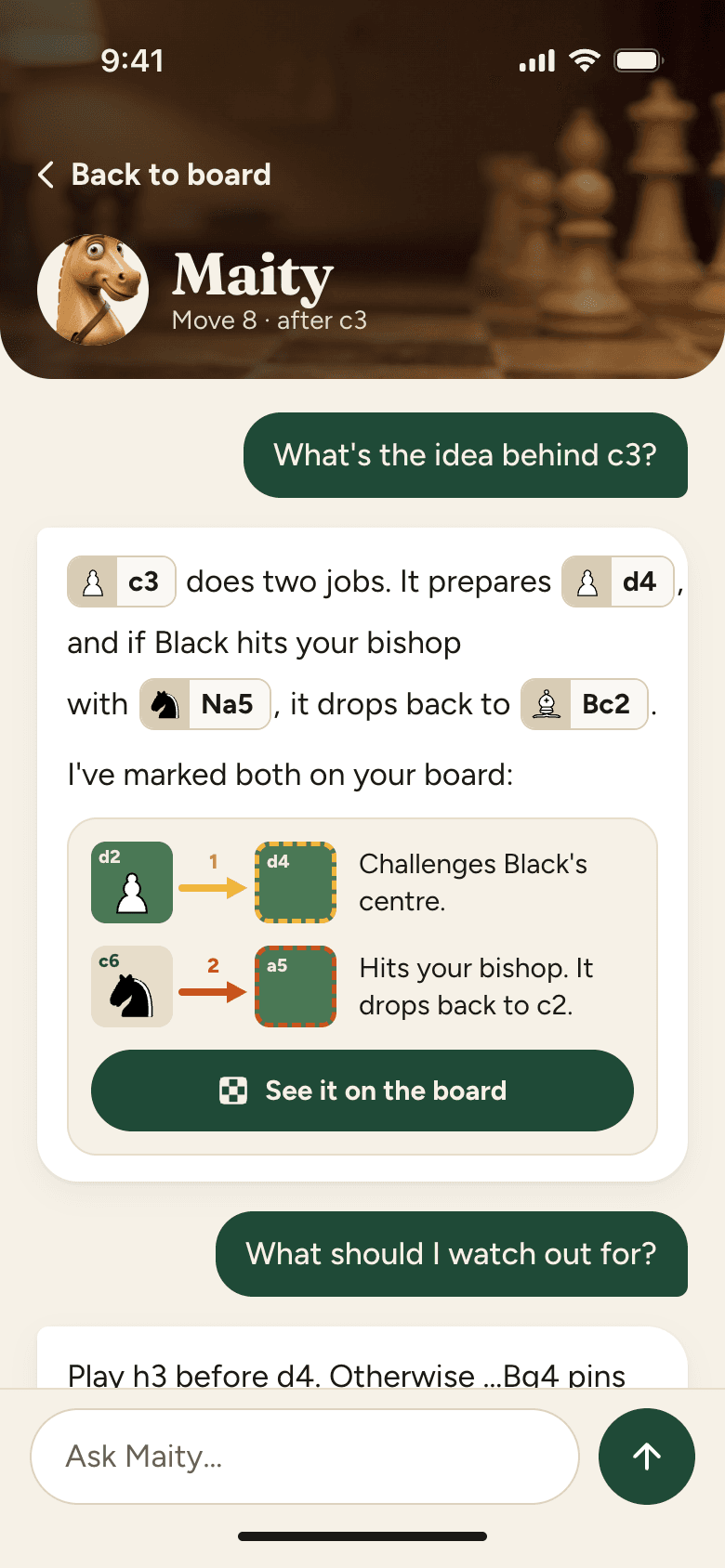
Understand your games in plain English. Not engine lines you'd never play. Import your Chess.com or Lichess games and review them with Maity, your AI coach.
On a computer?
Scan the code with your iPhone camera.
How it works
Import a game, review it, and ask Maity why
Maity uses the best chess engine to know which moves are best, but skips ideas that only a computer would play.
01
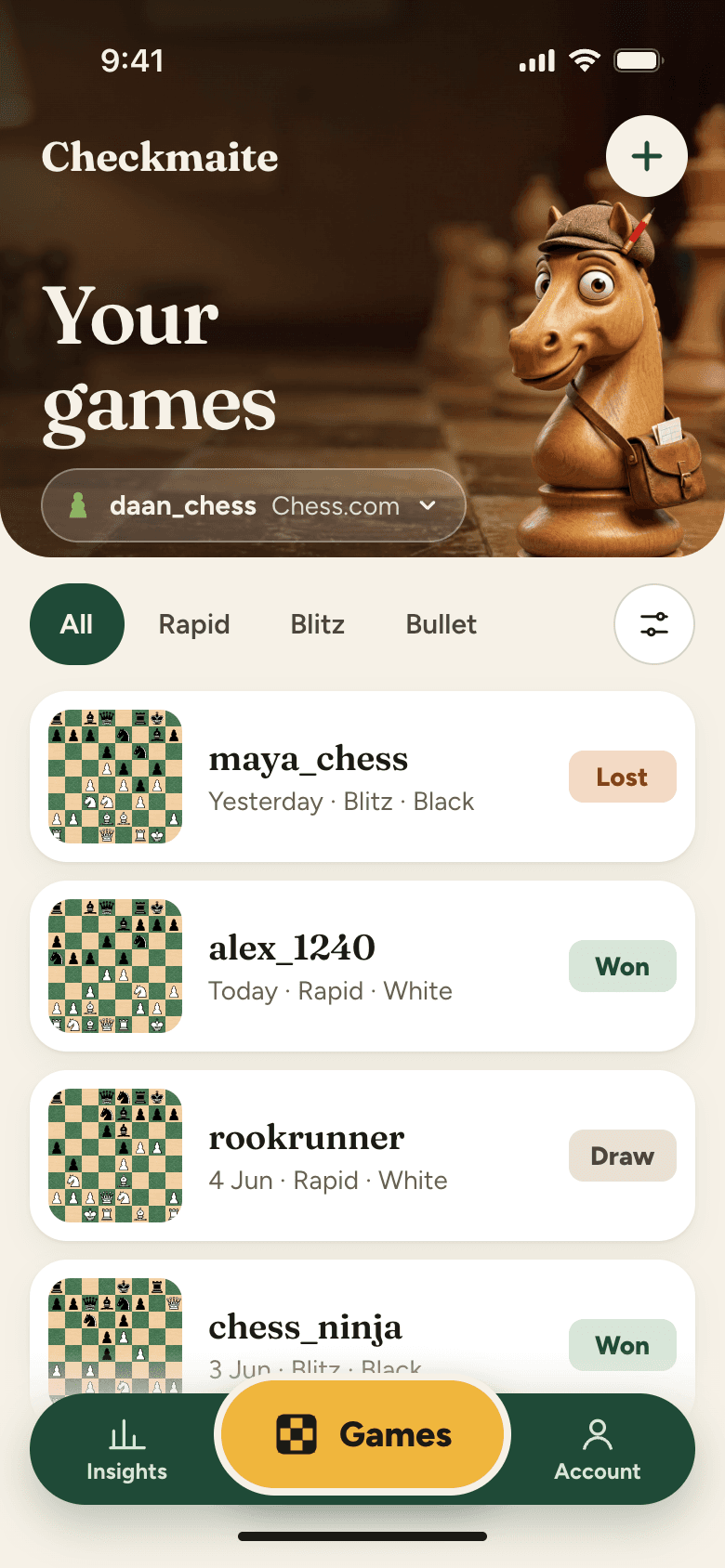
Import your games
Enter your Chess.com or Lichess username and we pull in your recent games. Pick the one you want to review.

02
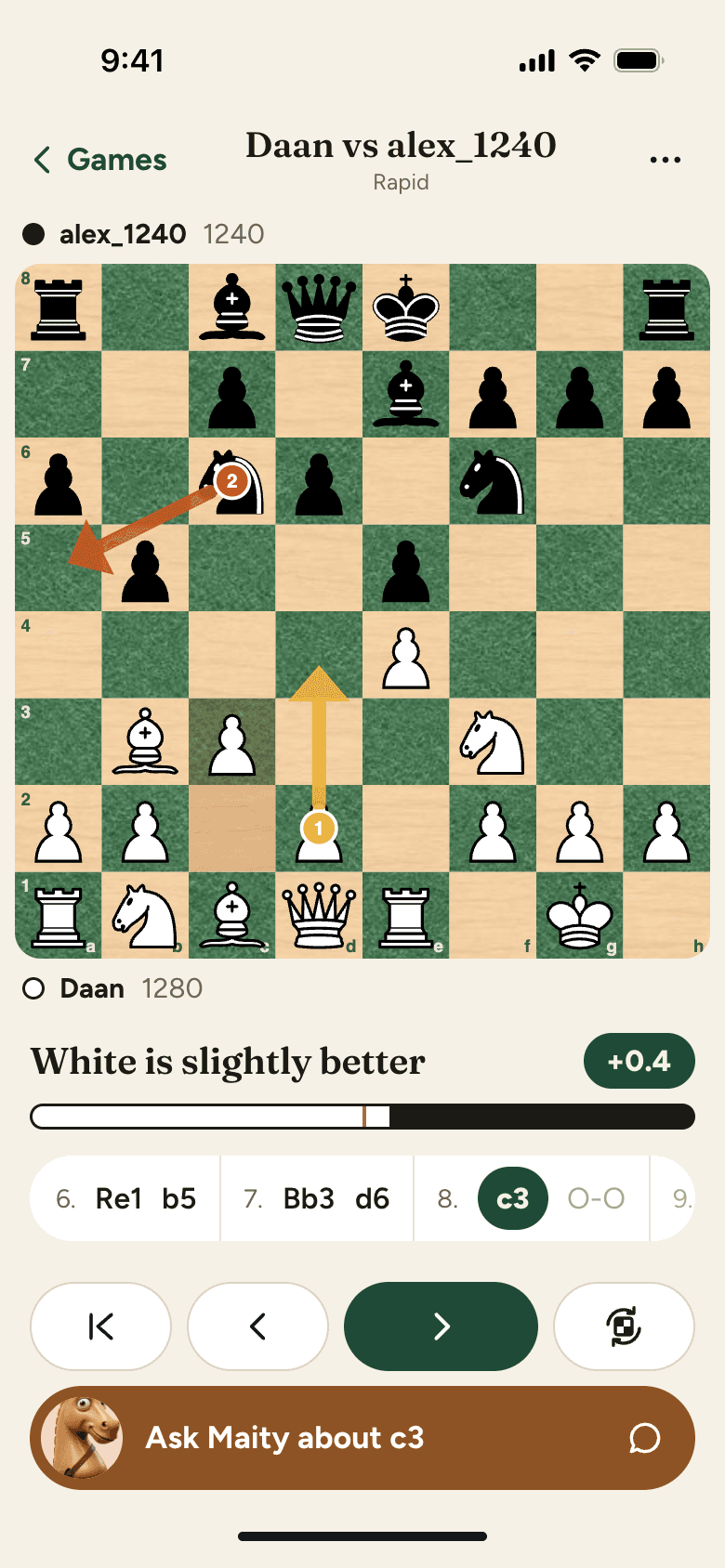
See moves on the board
No more decoding Nf3 or Bxe5. Maity draws arrows right on the board so you can see where each piece goes.
03
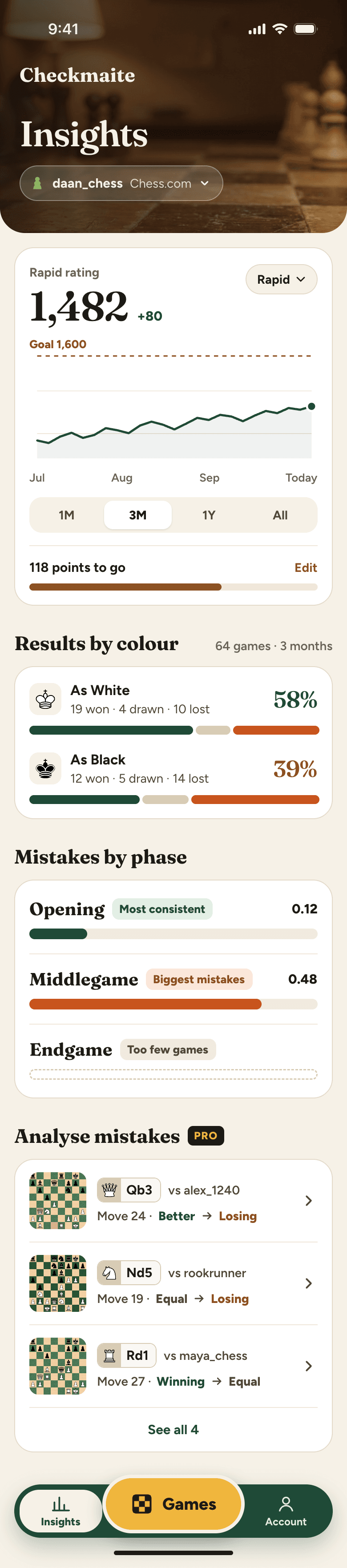
Track your progress
See how your rating changes over time and set a goal to work toward.
Pricing
Start for free
You get 5 free AI game reviews every month. Upgrade to Pro for unlimited reviews. You pay through the App Store and can cancel anytime in your iPhone settings.
Free
$0
For players who review a few games a month.
- 5 AI game reviews per month
- Stockfish engine analysis
- Move-by-move evaluation
Pro
Save 33% yearly
$9.99/ month
Or $79.99 per year. For players who review every game.
- Everything in Free
- Unlimited AI game reviews
- Progress tracking
FAQ
Frequently asked questions
Everything you need to know about Checkmaity.
What is Checkmaity?
Checkmaity is a chess game review app with a built-in AI coach. Enter your Chess.com or Lichess username, pick a game, and get a review that explains your moves in plain English. It combines Stockfish engine analysis with AI coaching so you actually understand what happened and why.
How is this different from analyzing with a chess engine?
A chess engine shows you the best move and a long computer line. Checkmaity does that too, but it also gives you a coach who explains the position in words you can use in your next game. Instead of a 15-move variation, you get things like "your knight belonged on f5 first because it locks down the dark squares." You can also ask follow-up questions about any position, just like working with a real coach.
How does game import work?
Enter your Chess.com or Lichess username in the app and we pull in your recent games. Pick the one you want to review and you are in.
Can I try it for free?
Yes. You get 5 free AI game reviews every month. You also get full Stockfish analysis on every game.
What is the difference between Free and Pro?
Both plans include Stockfish analysis on every game. The difference is how many AI game reviews you get. Free includes 5 per month. Pro includes unlimited reviews for $9.99/month or $79.99/year. If you play a few games a week, Free may be enough. If you play daily, Pro has you covered.
What counts as an AI game review?
Each game you review with the AI coach counts as one review. Once you start a review, you can ask as many follow-up questions as you want within that game. It does not matter if you spend five minutes or an hour on it.
Can I use Checkmaity on my computer?
No. Checkmaity is an iPhone app. Download it from the App Store to review your games.
Review your next game with Maity
Download Checkmaity, enter your Chess.com or Lichess username, and pick a game to review.
Free to download. 5 free AI game reviews every month.